How Can We Help You?
Find answers to common questions about MoneyCache POS system, features, and support
What is MoneyCache POS?
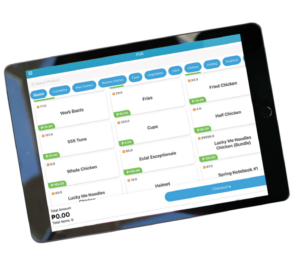
MoneyCache POS is a cloud-based point-of-sale (POS) system designed to streamline sales and inventory management processes. With MoneyCache POS, businesses can efficiently handle transactions and keep track of their inventory. The system offers the convenience of cloud-based access, allowing users to manage their sales and inventory anytime and from anywhere.
Is MoneyCache user friendly?
Yes, our MoneyCache POS is a user-friendly system which will allow the user to navigate the system as easy as accessing other common sites they are using.
How do I know if MoneyCache suites my business?
You will know that your business suites with MoneyCache when you want your business to be well-organized and well-managed. MoneyCache also suites your business when it comes to inventories, monitoring sales, and also to keep track on your everyday transactions with your customers, suppliers and employees as well.
What are the types of businesses that can use MoneyCache?
MoneyCache can be use in all types of business such as Convenient Store, Coffee and Milktea Shop, Pharmacy, Hotel, Restaurant, Hardware, Bakery, Salon, Bar, Boutique, Petshop, Computer Shop and even Sari-Sari Store.
How to get started with MoneyCache?
Send us a message through our Facebook page. Or contact us through 0917 113 0904.
Do you give free demo on how to use MoneyCache POS?
Yes, we give free demo on how to use MoneyCache POS and even give a free technical training with all the features inside the system.
Is your system safe and secured?
We're using the latest and most secured framework so it's secured and the database is hosted by a US company which is one of the top hosting company. We have daily backup of all data, guaranteed 99.99% uptime and only the owner has access details to the master database.
Is the MoneyCache app BIR accredited?
Yes, our MoneyCache POS System is certified BIR Accredited and will also help your business to in BIR Accreditation Processing.
How do I login my Moneycache Account?
After the support created your account, just go to this link https://money-cache.com/login you'll be redirected to a window to input the email address and password created for the support.
How to change password?
On the Moneycache login page click forgot password and enter your email address. You will receive an email about resetting your password.
How to Add Category and Products?
In adding category, you just have to click on the PRODUCT menu and then click CATEGORY and then create the name of the category you want to add. In adding product, just click the PRODUCT menu and then click CREATE NEW PRODUCT, after that select what category it is and then input the product name and its retail price and then click SAVE on the bottom part of the page.
How do I mass update stocks?
To mass update your stocks, click the ADVANCE menu and then click MASS UPDATE STOCKS. After that, you can input the name of the product you want to add stocks or you may filter products with the number of stocks left or just scrolldown and update the product stocks by simply putting the number of stocks you want to add and then click SAVE.
How can I track my daily sales?
In tracking your daily sales, just click the REPORT menu and then click SALES REPORT, select the specific date you want to track and then click GENERATE REPORT. You will be directed with the daily sales and its summary report.
How to delete/cancel a transaction?
To cancel/delete a transaction go to SELL menu, then click sales list. After that, click the transaction you want to cancel, then click the ACTION button and then click CANCEL. To see all cancelled transaction just filter CANCELLED on the upper left of the page and all cancelled transaction will appear.
Note: Cancelled/Deleted Transaction cannot be recovered.
How can I access the Moneycache App on the App Store?
1. Open your phone
2. Go to Apple Store
3. Search and click MoneyCache V2
4. Install App
How can I update the MoneyCache mobile app?
For Android users:
1. Open the Play Store on your device.
2. In the search bar, type "Moneycache V2".
3. Locate the app and next to the Uninstall button, click on "UPDATE".
For iOS users:
1. Open the Apple Store on your device.
2. In the search bar, type "Moneycache V2".
3. Locate the app and click on the "Update" button.
How can I manually sync the MoneyCache app?
1. Launch the MoneyCache app.
2. Log in to your account.
3. Tap the menu icon, which is represented by three horizontal lines.
4. Access the Settings menu.
5. Select the Sync option and wait for the process to complete.
How can I merge tables from Resto POS?
1. Open the MoneyCache App and sign in to your account.
2. Access the Resto POS by tapping the menu icon located in the upper left corner.
3. Choose the table currently holding active orders, then select the "Merge Table" option.
4. From the list of available tables, tap on the desired table name or number to merge with.
Is your system affordable?
MoneyCache is an affordable cloud-based POS(Point-of-Sale) and inventory system for your business that you can access anytime, anywhere.
How much are your packages?
Our system starts for as low as 1,200/monthly with all the POS features (Real-time Inventory, Sales, Expenses, Employee and Reporting), advanced inventory, 1 admin account and 2 additional staff accounts.
Can I buy my own set of hardware?
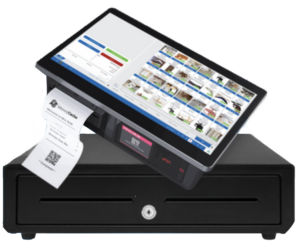
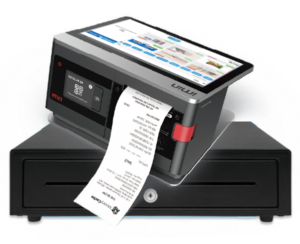
Definitely yes. If you have any existing devices, you can use them because our POS system works on any device.
Why are all your packages subscription-based?
Our system is a cloud-based POS system, which is why our packages are monthly for the servers. But the monthly fee also includes lifetime support from our team and any future updates to the system that you'll be able to avail of for free.
How do I set up my online store?
One great benefit about using MoneyCache as a POS system is that your registered account comes bundled with a free online store option.
Is there a payment for Online store?
What MoneyCache brings to the table is a secure, user-friendly, and customizable free online store. The free ecommerce website is hosted by MoneyCache and connected directly to user accounts, so you only need one set of log-in credentials to manage the website.
How do I get started with the online order process?
Business owners can add their own branding by uploading banners and sliders, as well as featuring specific products at the top of the page for promotion. The website colors can also be edited to match your brand's color scheme, if you have one.
Is your support active 24/7?
Our demo schedule is every Mondays to Fridays, 8:30 am to 8:00 pm.
Where is the office of MoneyCache?
Marel 1 Bldg, Pabayo Hayes St, Cagayan de Oro, 9000 Misamis Oriental
How can I set a meeting with your team?
To set a meeting with MoneyCache Support team, you can contact them through their MoneyCache official number: 0917 113 0904 or via Email: moneycacheposofficial@gmail.com
What is the email address for MoneyCache?
MoneyCache Official Email: moneycacheposofficial@gmail.com
Which social media apps does MoneyCache have?
What is the phone number for the MoneyCache team?
MoneyCache Official phone number 0917 113 0904
How can I schedule a demo with the MoneyCache team?
Sign up and book a FREE demo with us: https://money-cache.org/create-your-free-moneycache-account/
When is the MoneyCache team available to schedule a demo?
The free 30mins online consultation/demo via Google Meet. Schedule is Mon-Fri 8:30AM-8:00PM.